

Before commissioning a finished display animation, try three rough ways of telling the same product story. Sketches are easier to compare and revise than polished scenes. They let you choose what the viewer should understand before spending time on motion, effects and final exports.
This exercise is for planning creative content for a display campaign. It does not specify installation, equipment compatibility or safety requirements, and it does not predict sales results. Confirm technical delivery requirements for the exact display with its supplier before production.
Keep one product and one audience
Choose a single product, service or offer for the exercise. Write one sentence describing the audience and the question the content should answer. For example, a shop might want approaching visitors to recognize a new bag collection and know that staff can show the available colors.
Use only approved facts and assets. Keep prices, availability and dates out of a sketch until someone responsible has confirmed them. If a detail is pending, label it pending in the working notes rather than making a plausible-looking value part of the artwork.
Give all three concepts the same brief. If one has a completely different offer or audience, you are comparing separate campaigns rather than different ways to communicate the same idea.
Concept one: make the product recognizable
Draw a sequence that introduces the product clearly, gives it room to be seen and ends with the agreed next step. The middle frame can simply show another useful view. Resist adding a second product, several badges and a long slogan to fill the space.
Write what each frame contributes underneath it. “Shows the overall shape” is a concrete purpose. “Looks exciting” is a creative preference that may matter, but it does not explain what the viewer learns.
For the bag example, the sketch might use a clear front view, a side view and a short invitation to ask staff about colors. It is an illustrative brief, not a claim about a real customer campaign or a promised display capability.
Concept two: explain one useful detail
Start with the whole product, then focus attention on one feature that can be shown accurately. Use a reference photograph or approved drawing so the animator knows what the detail actually looks like. End by returning to the complete product or the next step.
Do not use a dramatic cutaway to invent internal parts or demonstrate a performance claim that has not been substantiated. A close view of a real pocket is different from an animation implying that a bag is waterproof. Check both the picture and any words around it.
The FTC's small-business advertising guidance explains that advertisements are assessed in context, including pictures, and that both explicit and implied claims need support. Apply that check while the idea is still a sketch.
Concept three: help the viewer take the next step
Build the sequence around a clear invitation. Introduce the item, show what the viewer can ask about or find, and finish with one practical direction. Keep it appropriate to the actual setting: a staffed counter, a nearby display or an approved web destination.
Do not assume the viewer will remember several instructions. Choose the main action and leave secondary information in an accessible written alternative. Our written-alternative guide can help keep the full message available beyond the animation.
If the direction names a location or department, have someone familiar with the venue check it. A beautifully drawn arrow is not useful if the destination is ambiguous or changes when the display is moved.
Compare clarity before polish
Put the three rough sequences side by side with the brief visible. Ask reviewers to describe each message in their own words before telling them what you intended. Record misunderstandings as feedback on the concept, not as proof that the reviewer was inattentive.
Compare the same things for every option: whether the product is identifiable, whether the key fact is supported, whether the next step is clear and which details still need approval. Keep personal preferences in a separate note so they do not get mistaken for measured audience performance.
You may discover that one simple frame from each concept belongs in the final sequence. If you combine them, review the new sequence as a whole. Three individually clear ideas can become crowded when assembled without a single priority.
Hand over the selected idea with its limits
Send the chosen storyboard, approved assets, factual references and open questions to the designer. Name who approves content and who confirms the equipment's required format. Keep rejected sketches labeled so they cannot be mistaken for final instructions.
Use the INNAYA content-brief guide to turn that selection into a production request. The useful result is a clear creative direction with traceable facts, not a claim that a rough storyboard has already been tested on the display.
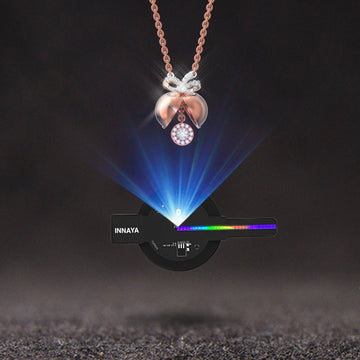
Cover: conceptual storyboard cards, not a depiction of hologram hardware, an actual installation or measured campaign performance.