

Table of Contents:
- What Is a Holographic Customizable Fan?
- Key Benefits of Holographic Displays
- Best Holographic Customizable Fans: Complete Product Guide
- Product Specifications Comparison
- Holographic Fan Buying Guide
- Where to Use Holographic Fans
- ROI & Sales Impact
- Installation & Maintenance
- Frequently Asked Questions
Quick summary: Compare the INNAYA H16, H23, H39 and H-PRO listings and plan the content, installation questions and complete purchase before choosing a display. Check current product pages and policies for prices and terms.
What Is a Holographic Customizable Fan?
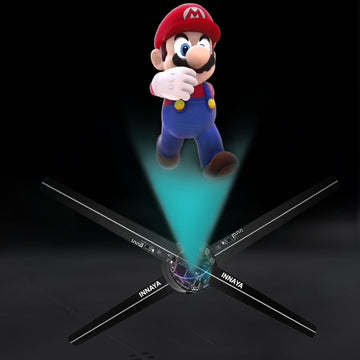
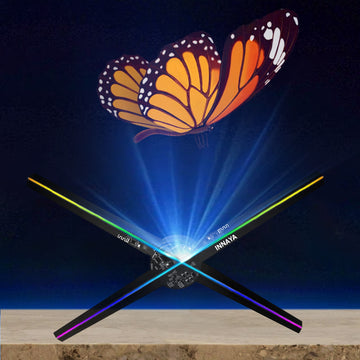
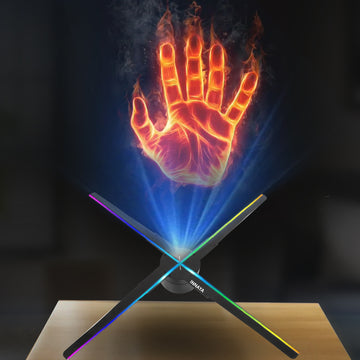
A holographic customizable fan is an LED fan display used to show changeable visual content. The displayed image can appear to float without a conventional rectangular screen. “Customizable” refers to the content you prepare for the device; it does not establish that every file, app feature or accessory works with every model.
Start with the exact model's instructions and accepted content requirements. Videos, animated logos and product visuals are possible creative directions, but the export format and playback workflow need to match the selected device. Browse our display technology articles for related planning topics.
Key Benefits of Using Holographic Fan Displays for Business
Changeable visual content can support seasonal promotions, product presentations and event branding without replacing a printed panel each time. That flexibility still involves content preparation, approval and testing. It does not establish a particular update time, environmental saving or sales result.
A moving display may be worth evaluating in a retail or event setting where the message, viewing position and installation conditions suit it. Compare it with the other ways you could present the same information. A display that attracts attention is not automatically one that helps customers understand an offer or buy.
INNAYA sells these displays. This guide is a store buying resource, not an independent product test or a report of measured customer results.
4 Best Holographic Customizable Fans: Complete Product Guide
These four INNAYA listings provide different formats to consider. The basic specifications below were checked against current product records on October 21, 2026. They are listed specifications, not independently measured performance. Use each product page for current price and options.
1. INNAYA H16" 3D Advertising Hologram Fan

The INNAYA H16 is listed as a 16-inch model with two blades and 246 lamp beads. Consider its smaller listed format when assessing one proposed display location, but confirm the required mounting space and installation arrangement separately.
2. INNAYA H23" 3D Advertising Hologram Fan
The INNAYA H23 is listed as a 23-inch model with four blades and 720 LEDs. Review whether the larger format fits the intended space and content. If these are your two shortlisted models, the H16 and H23 comparison provides a focused purchase checklist.
3. INNAYA H39" 3D Advertising Hologram Fan
The INNAYA H39 is listed as a 39-inch model with four blades and 1,184 LEDs. Confirm the installation envelope and content requirements for the exact model. A larger listed size alone does not establish readability at a particular distance.
4. INNAYA H-PRO Lifesize 3D Advertising Hologram Fan
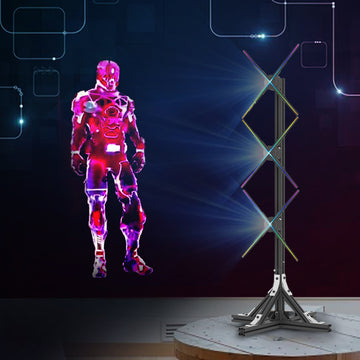
The H-PRO listing describes a configuration using three H23 projectors. Ask for the complete configuration, dimensions, package contents and installation requirements for your proposed site. Do not assume that an installation service or unlimited expansion is included.
Product Specifications: What to Verify
Compare like-for-like details from the selected listings: model and quantity, listed dimensions, content workflow, compatible accessories and package contents. LED count is not a substitute for seeing whether your actual message works at the intended location.
This article does not provide verified comparative figures for power consumption, noise, rotation speed, LED lifespan or maximum linked-unit counts. Ask for model-specific documentation if those details are essential to your decision.
For price, use the current product pages rather than historical estimates. For warranty, returns and delivery, review the warranty page, returns policy and shipping policy. If a product description and a policy appear inconsistent, request written clarification for your selected order before purchasing.
Holographic Fan Buying Guide: How to Choose the Right Model
Step 1: Assess your space and budget
Record the intended location and audience position. Compare the whole project, including equipment, compatible accessories, content and any installation work, rather than just a device price. The quote comparison worksheet helps separate those items.
Step 2: Consider your display content
Choose a sample logo, product visual or short message before deciding on hardware. Ask which export requirements apply to the model and software you intend to use. A successful laptop preview does not establish device compatibility.
Step 3: Plan your installation
Confirm the mounting method and site suitability using the supplied model instructions and appropriate installation advice. Do not infer that a wall bracket, floor stand, enclosure or installation service is included unless the selected listing or quote says so.
Step 4: Check technical requirements
Verify power, device and app compatibility, content transfer, operating conditions and any accessories needed for the proposed configuration. Do not apply a generic clearance, voltage or operating schedule to every model.
Step 5: Plan how you will evaluate the purchase
Define what a useful result would look like, then collect a baseline before changing the display. Use the measurement section below rather than assuming a standard payback period.
Where to Use Holographic Customizable Fans: Industry Applications
Retail and product presentations
Possible content includes product visuals, logos and short offers. Check that customers can understand the message from their normal position and that the display does not replace information they need elsewhere.
Events and exhibitions
A display may form part of a booth or launch presentation. Confirm venue rules, site conditions, installation responsibilities and the content handoff before including it in the event plan.
Hospitality and tourism
Lobby branding or a promotional visual are possible concepts to evaluate. Confirm the proposed location and operating conditions rather than assuming every lobby or public-access area is suitable.
Corporate and professional spaces
Product presentations and showroom branding are other possible uses. Match the device and content to the specific audience and setting; these examples are ideas, not documented customer outcomes.
ROI & Sales Impact: What to Measure
This article does not establish a typical sales lift, foot-traffic increase or payback period. Earlier numerical examples and purported aggregate customer results have been removed because supporting evidence was not available for verification.
Evaluate your own campaign by recording a baseline, the display dates, content changes and an appropriate outcome such as enquiries. Account for other changes such as promotions, staffing and seasonality before attributing a result to the display.
Revenue is not profit. Any financial assessment should include the actual project costs and relevant margins; it should not assume that every new visitor or sale was caused by the display. Our one-week display campaign test plan offers a practical way to organize observations without promising an outcome.
Installation & Maintenance Guide for Holographic Fans
Setup
Use the instructions supplied for the exact model and selected installation components. Confirm responsibility for mounting and site checks before powering the device. This article is not an installation manual and does not promise an unboxing-to-display time.
Content management
Verify the supported file formats, app and transfer method for the selected device. Do not assume automatic scheduling, remote monitoring or alerts are available unless they are documented for that configuration. Test the intended files and retain the approved versions.
Maintenance and long-term care
Follow the manufacturer's model-specific shutdown, cleaning and servicing instructions. Do not touch moving components or substitute a generic cleaning interval for those instructions. Ask INNAYA about a fault rather than assuming an automatic update or maintenance routine will resolve it.
For assistance, use the INNAYA contact page. This guide does not establish a universal continuous-running rating, lifespan or support service entitlement.
Frequently Asked Questions About Holographic Customizable Fans
How much electricity does a holographic customizable fan use?
Check the exact model's documented power requirements and intended operating schedule. This article does not provide a verified wattage or monthly electricity-cost estimate.
Can I upload my own videos or graphics?
Check the selected device's accepted formats and export requirements before preparing or purchasing content. “Customizable” does not mean every file will work without adjustment.
How quickly can I change the display content?
That depends on the documented workflow, files and configuration. Test the process before a time-sensitive campaign; this guide does not promise instant uploads or zero downtime.
Is the fan noisy, and how long do its LEDs last?
Request model-specific evidence if noise or service life is critical. No verified noise limit or lifespan comparison is established here.
Can several fans be linked?
Compatibility and required components depend on the exact model and configuration. Confirm the proposed setup with INNAYA; do not assume range-wide support or unlimited expansion.
Does it work with my phone or computer?
Verify the supported device, operating system and app for the selected model before ordering. Keep the exact model link with the compatibility question.
Can I use it outdoors or run it continuously?
Only use a device within its documented operating conditions. Do not infer weather protection, outdoor suitability or a continuous-running rating from an advertising image or product-family name.
What is the typical payback period?
This guide does not establish one. Assess the actual project cost and measured results for your business without treating examples or marketing claims as a forecast.
Do I need professional installation?
Confirm the work and expertise required for the model, mounting components and site. Do not assume installation service is included in the product price.
What should I show?
A logo, product visual or short approved offer can be a starting concept. Test the actual content for the intended audience and device rather than assuming one format always performs best.
Conclusion: Choose a display around the actual project
Keep the model, location, content and purchase scope together when comparing options. Use current product information, resolve unclear terms and measure the outcome rather than relying on a promised return.
Explore INNAYA hologram fans | Contact INNAYA | Browse all products
Related articles and resources
Editorial correction, October 21, 2026: unsupported price ranges, warranty durations, performance claims and customer-result figures were removed. Product specifications should be checked against the current selected listing.