




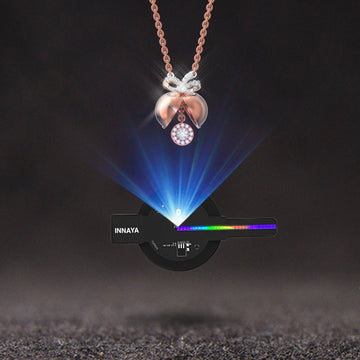

A striking close-up can be useful for a portfolio, but it rarely explains an entire display installation. A prospective customer may also need to understand the setting, the viewing position and what was actually installed. Plan a small set of photographs that answers those questions without turning a good-looking image into an unsupported performance claim.
This guide covers the content record around a completed display. It is not an installation, electrical or camera-settings manual. Keep normal site safety arrangements in place and follow the equipment manufacturer's operating instructions while documenting the result.
Decide what the photographs need to show
Write the purpose before picking up the camera. Is this an internal completion record, a customer case study, a social post or a reference for a future content update? A single photograph does not have to do all four jobs.
For an internal record, a clear wide view and a detail may be enough. A public case study needs additional checks: permission to use the location, accurate identification of the equipment and clarity about which elements are included in the project.
Keep any agreed customer restrictions beside the shoot plan. A beautiful frame is not automatically available for public use just because you can see it from inside a venue.
Capture context before the close-up
Begin with a view that shows the display in its ordinary surroundings. Include enough of the setting to make its position understandable without revealing private documents, screens, people or security details.
Then take a closer view of the content. The two images serve different purposes: one explains placement, while the other shows the message. Do not substitute a tight crop for evidence of how an entire space looks.
Use an authorized, safe viewing position. Do not remove a protective enclosure, enter a restricted area or move equipment to improve a photograph. If access is limited, record the limitation and work with the images you can capture safely.
Label the kind of image honestly
Keep actual installation photos separate from concept renderings, artwork previews and illustrative composites. Give each a clear filename and an accurate caption when used publicly. A future reader should not have to guess which stage of the project they are seeing.
If the image shows a temporary demonstration, say so. If it shows only a sample animation rather than the customer's final campaign, explain that. Avoid language that implies a permanent installed result when you only have a design proposal.
The FTC's small-business advertising guidance explains that an advertisement is considered in context, including its words and pictures, and that implied claims matter as well as explicit ones. A caption and image should tell the same accurate story.
Preserve the original files
Save the original captures before preparing web or social versions. Keep edits in separate files with names that distinguish them from the originals. This makes later review easier and helps prevent a heavily cropped export becoming the only surviving record.
Record the date, location label, equipment model and content version in a simple private note. Use only the detail your team needs. Do not embed a customer's private address or contact information in a public filename.
For shared campaign assets, our content handoff folder guide offers a useful structure. Add an “installation photos” folder and a short note explaining which files are approved for which uses.
Do not let editing invent a capability
Before using an edited image, ask what it suggests about the real display. Has a crop hidden something a buyer needs to understand? Has a composite added an effect that was never present? Could the treatment be mistaken for a documented result?
Keep a separate creative illustration when you want a stylized visual, and identify it accordingly. Do not present that illustration as a customer installation or evidence of a product's brightness, visibility, image quality or viewing angle.
A photograph also cannot establish sales uplift, visitor counts or a return on investment. Those claims require their own evidence. The FTC's advertising overview emphasizes truthful, evidence-based claims; an impressive picture does not supply missing business measurements.
Write a caption that answers practical questions
A useful caption names the project stage, general setting and relevant content. For example: “Demonstration setup with sample artwork, photographed from the public viewing area.” This is a caption pattern, not a report of an INNAYA installation.
Only name a customer, venue or creator when you have the appropriate permission and the details are correct. Check the asset permission record before sharing. Credit alone does not replace permission.
Finally, review the whole post as a reader would encounter it: headline, photograph, caption, nearby product link and any claim about the result. Keep the story specific to what was actually documented. A clear, honest record is more useful for future customers than a dramatic image that leaves the important facts ambiguous.
Cover: conceptual illustration of documenting a retail display, not a photograph of an INNAYA product or customer installation.