
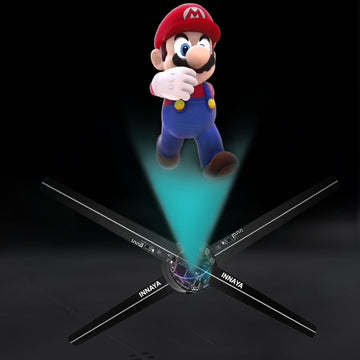
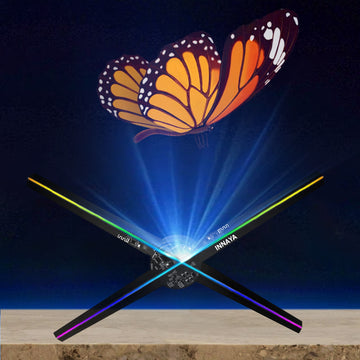
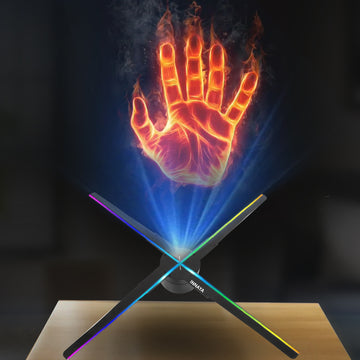
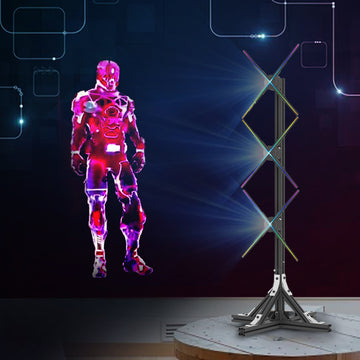
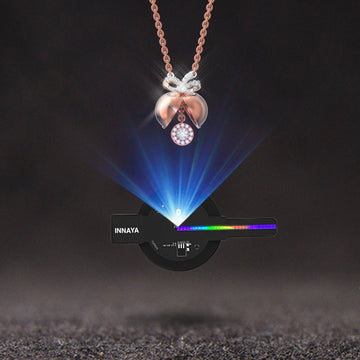

A 3D hologram fan is only as good as the video you put on it. The hardware spins an LED blade fast enough that your eye fuses the light into a floating image, but the illusion depends on content built for that display. Ordinary video, with a bright background and a full-frame layout, looks like a flat disc of light. Content made for a hologram fan looks like an object hanging in mid-air.
This guide covers where to get 3D hologram videos, what specs a hologram fan needs, how to tell good content from bad, and when it makes sense to pay for custom animation. If you are still choosing hardware, start with our 3D hologram fan collection and the H16 vs H23 comparison.
Why hologram fan content is different
A hologram fan has no screen behind the image. Every black pixel is simply an LED that stays off, so black becomes "transparent" and you see through the blades to the wall behind. That one fact drives every content rule:
- Pure black background. Any gray or color in the background lights up the whole disc and kills the floating effect.
- A centered, round subject. The display area is a circle. Corners never show, and the hub at the center is dead space on most fans.
- Motion and depth cues. Rotation, particles, light trails and shadows sell the 3D look. A static logo on a black background looks flat.
- High contrast and saturated color. LED blades are bright, but fine detail and thin text get lost at viewing distance.
Four places to get 3D hologram videos
1. The content library that ships with your fan
Most hologram fans come with a starter set of demo clips: spinning logos, product shapes, animals, fireworks and seasonal loops. These are fine for testing and for general "wow" displays, but they are generic. Nobody walks past a trade show booth and remembers a stock spinning planet.
2. Ready-made 3D graphic files
The next step up is a curated pack of hologram-ready animations. Our 3D graphic files collection holds loops built for the format: black backgrounds, centered composition and motion tuned to the fan's frame rate. Packs are a good match for retail windows, restaurants, holiday displays and events where you need variety without a design budget.
3. Converting your own video
You can convert existing marketing video if you follow the rules above. In any editor:
- Set a square canvas that matches your fan's native resolution.
- Key out or mask the background and fill it with pure black (RGB 0,0,0).
- Scale the subject so it sits inside a centered circle with a margin of about 10%.
- Add a slow rotation or a parallax push so the object feels three-dimensional.
- Export in the format your fan's software accepts, usually MP4 (H.264), and load a test clip before you build a whole playlist.
This works well for product shots on a plain background. It works badly for talking-head footage, crowded scenes and anything with a lot of fine text.
4. Custom hologram animation
For a brand launch, flagship store or trade show, custom content is usually the best investment. A 3D artist builds your product or logo as a model, lights it for an LED display and renders loops designed to stop foot traffic. Custom work also lets you sequence a story: logo reveal, product spin, offer, call to action.
File specs that work on most hologram fans
| Setting | Recommendation |
|---|---|
| Canvas | Square, matched to the fan's native resolution |
| Background | Pure black, no gradient or vignette |
| Format | MP4 / H.264 unless the fan's app says otherwise |
| Frame rate | 24–30 fps |
| Length | 10–30 second seamless loops |
| Safe zone | Keep key content inside a centered circle, away from the hub |
| Text | Large, bold, short — a few words at most |
Always check the manual for your exact model. Some fans need content converted through their companion app before it plays.
How to judge a hologram video before you buy it
Watch the preview on a dark screen at arm's length and ask:
- Does the background disappear? If you can see the edge of the frame, it will show on the fan.
- Is there real depth? Look for rotation, layered elements and light that moves across the object.
- Does it loop cleanly? A visible jump at the loop point looks cheap on a display that runs all day.
- Can someone read it from 10 feet away? Count the words on screen. Fewer is better.
- Is it on brand? Colors and motion should match the rest of your signage.
Content ideas by use case
Retail windows: a hero product turning slowly, followed by a short offer. Change clips with the season so regulars notice something new.
Trade shows: a big logo reveal every 15–20 seconds, product exploded views and a clear booth call to action. For more on show strategy, see our guide to holographic signage.
Restaurants and bars: menu hero items, drink specials and event nights. Short loops work better than long sequences because guests glance and look away.
Events and weddings: monograms, names and dates in elegant animated type. Gobo projection can do the same job on walls and dance floors; compare options on our wedding monogram light page.
Holidays: snowfall, ornaments and seasonal characters. For December displays see the Christmas hologram projector page.
Building a playlist that keeps attention
One great clip on repeat gets ignored after a few minutes. A good playlist mixes:
- An attention clip — something big and bright that stops people.
- A brand clip — your logo or product, clear and centered.
- An offer clip — one message, a few words.
- A breather — a softer ambient loop so the display does not feel like a sales pitch.
Rotate the order and swap clips every few weeks. If you run several fans side by side, sync them so a single image spans the array. That needs content made for the combined layout and a fan system that supports synced playback.
Common mistakes
- Using video with a background. The single most common problem. The fan turns into a glowing disc.
- Too much text. Hologram fans are for images and short phrases, not paragraphs.
- Ignoring the hub. Content placed dead center can disappear behind the motor hub.
- Mounting in bright sunlight. Even great content washes out in direct sun. Place the fan where ambient light is controlled.
- Running one clip forever. Fresh content is what keeps a display working as advertising.
Safety and placement notes
Hologram fan blades spin at high speed. Mount the fan out of reach or use a protective cover, follow the manufacturer's mounting guidance and keep it clear of curtains, signage and foot traffic. Good placement also helps the content: eye level, a dark or matte wall behind and a viewing distance of a few feet to a few yards.
Frequently asked questions
Can I play YouTube videos on a hologram fan? Not directly in most cases, and normal video does not look holographic anyway. You need content with a black background, converted to the fan's format.
How long should a hologram clip be? Ten to thirty seconds per loop works best. Longer clips are fine in a playlist, but people rarely watch a single display for more than a few seconds.
Do I need special software? Most fans include a companion app that uploads and converts clips. Some accept MP4 files directly from an SD card.
Is custom content worth it? For a single product launch or a booth you use all year, usually yes. For general decor, a ready-made pack is more cost effective.
Next steps
Pick a fan that fits your space from our hologram fan collection, add hologram-ready loops from the 3D graphic files collection, and check our FAQ for setup and warranty questions. The right content turns a spinning fan into the most eye-catching sign in the room.